
From 1,00+ templates to one unified experience
CATEGORY
DETAILS
Impact
~60% ↓ configuration time · ~45% ↓ dependency on Technical Consultants · ~35% ↑ task success
Templates
100+ templates → 1 scalable framework
Support
↓ Support tickets
Industry
Identity Security · IGA · IAM · Enterprise SaaS
Team
Project Manager · Designers · Engineers
Timeline
4 weeks Research & Discovery · 6 weeks Design Exploration & Validation
Rollout in progress across existing customer implementations
Company & product context
Aquera helps companies keep access in sync automatically, so when someone joins, changes roles, or leaves, their permissions update everywhere they need to, no manual cleanup required.
Integration Studio lets developers and Technical Consultants build integrations with configurable fields, so each one can be tailored to a client's needs.
I dug through 100+ inconsistent templates and found 5 hidden patterns underneath the chaos. That discovery turned a basic redesign ask into a scalable framework for Aquera's flagship IAM product.
What I focused on
Discovery & Design
Audited 1,00+ workflows to identify patterns and simplify the experience.
Defined the product strategy, information architecture, and reusable design framework.
Collaborated with Product Managers and stakeholders to align priorities.
Delivery
Partnered with the Nile Design System team to introduce reusable components.
Validated the experience with Technical Consultants, designers, and AI-assisted reviews.
Worked closely with engineers to ensure smooth implementation and design quality.
Powerful, but too hard to scale

Navigation, terminology, and feature placement were inconsistent, making the product difficult to learn.
Even experienced Technical Consultants had to rely on documentation to find features.
Customers became dependent on Technical Consultants, increasing support costs and slowing adoption.
Integration Framework wasn't really one product, it was 100+ templates, each built independently by different TC's & Developers over time.
Different roles. Different expectations.
Technical Consultant

Spends too much time searching for fields across different workflows.
Similar tasks behave differently, increasing setup time.
Relies on documentation for unfamiliar configurations.
Developer

Existing workflows lack consistency, making customization harder.
Repeatedly interprets different patterns for similar tasks.
Custom requests increase development effort.
Enterprise Customer

Depends on Technical Consultants for everyday changes.
Finds the platform difficult to understand independently.
Wants a simpler, more self-service experience.
Configuration experience - Heuristic Evaluation
User Challenges
🧭 No clear hierarchy between sections.
⚖️ All settings appear equally important.

User Challenges
🚪Too much information to scan and understand.
💬 No clear starting point or guidance.
😣 Related configurations are scattered across sections.


Learning about the product before touching Figma
So I used the product like a customer would, setting up integrations from scratch and noting exactly where I got stuck or confused.
I also looked closely at how templates actually behaved, not just how they looked on the surface. That distinction mattered, because two templates could look almost identical and still work completely differently underneath.
User feedback
250+
Customer conversations, internal workshops, and Technical Consultant interviews analyzed during the discovery phase.
48%
of usability issues came from navigation, consistency, and discoverability.

Internal user interview

Talking to Technical Consultants
I interviewed Technical Consultants who configure integrations for clients directly.
One thing came up again and again: customers found information scattered, and finding what they needed felt painful.
Talking to engineers and PMs
Engineers described a recurring problem: requirements would show up mid-integration, forcing last-minute changes.
They wanted requirements surfaced earlier, before work was underway.
Competitive analysis
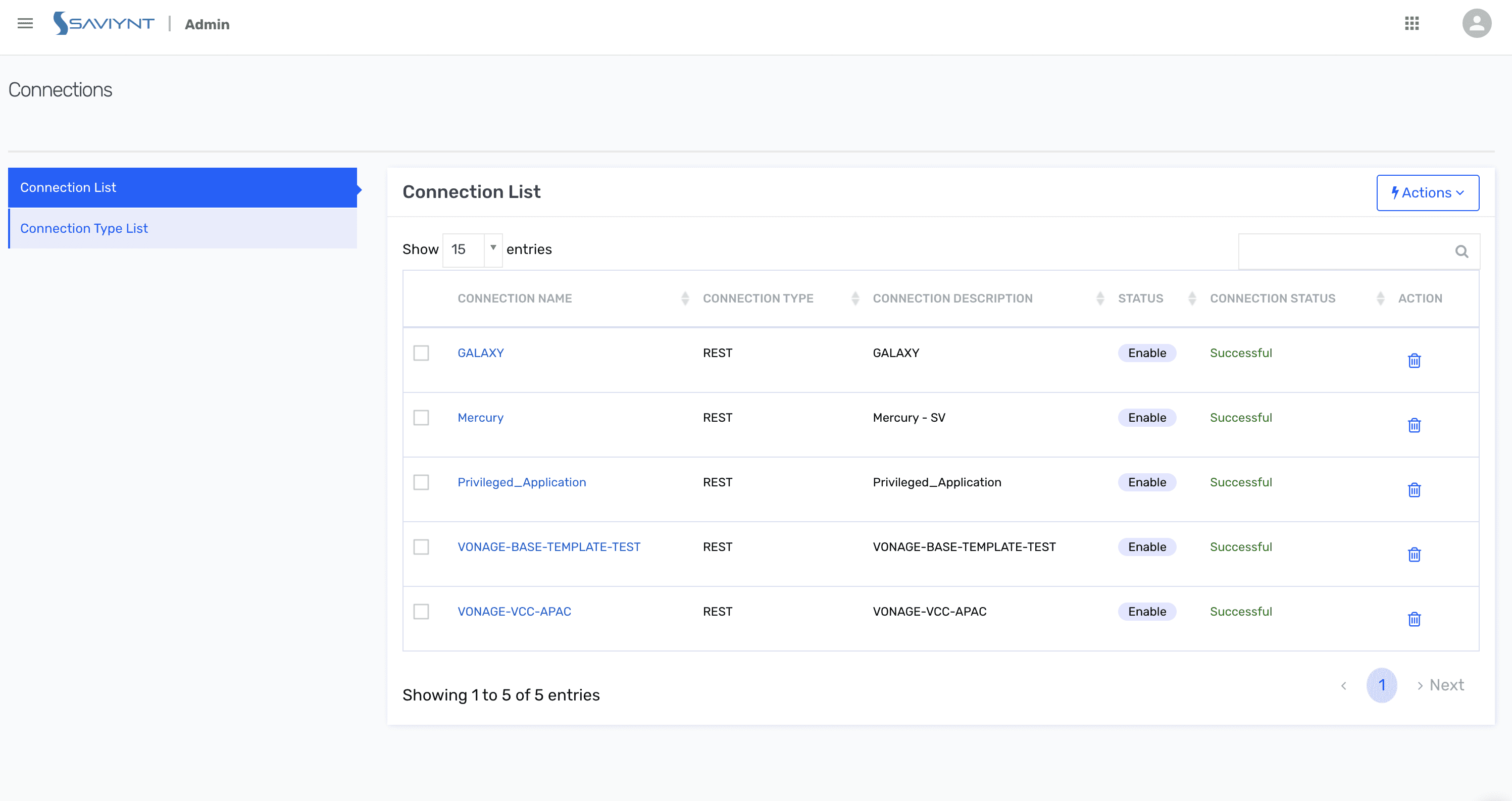
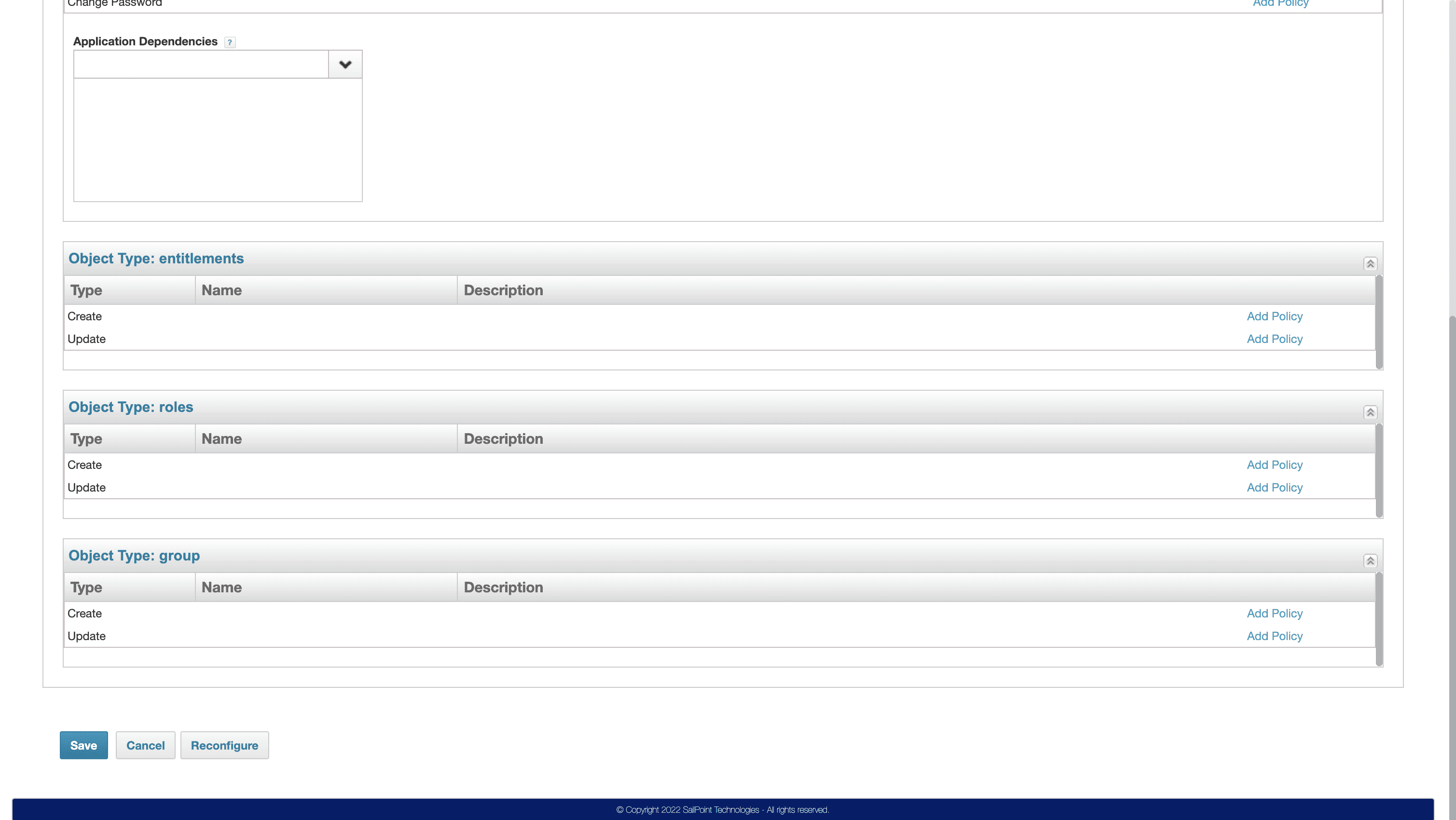
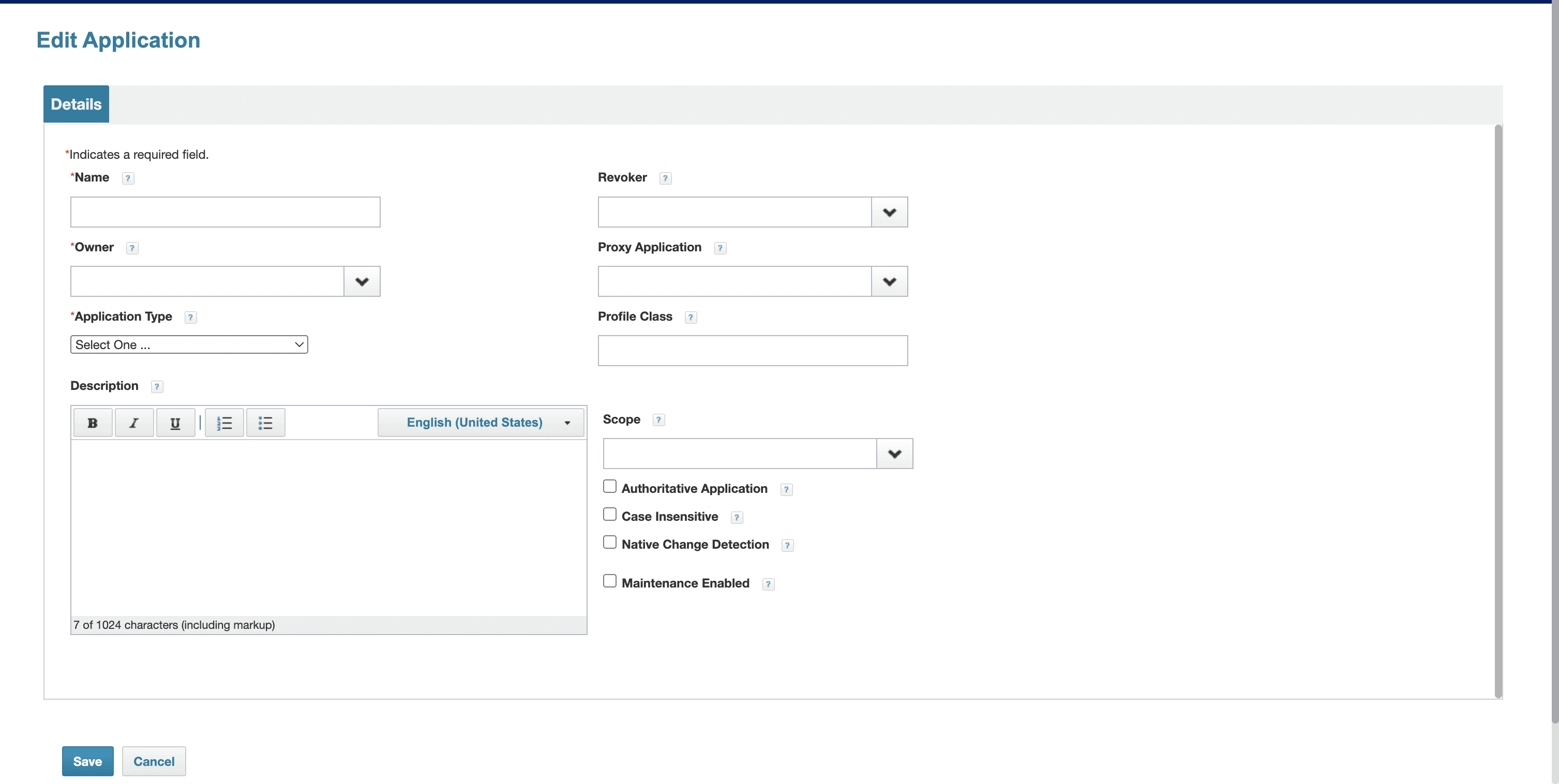
Who do our customers compare us to? That led me to Okta, Entra ID, OneLogin, Saviynt, SailPoint, and Hire2Retire, some competitors, some partners.
Features
Description
Aquera
Hire2Retire
Okta
Entra ID
OneLogin
Saviynt
SailPoint
ScreenShot
Onboarding
IA & Navigation
UI Visual Design
Workflows & Forms
Feedback & Errors
Trust & Security
Docs, Extensibility
Structure / Flow Design
UX Copywriting / Terminology
ScreenShot
How quickly a user can set up their first connector/integration without external help guided setup, templates, initial sync success.
How easily users can locate integration features like connectors, mapping, directory links, workflows, logs & provisioning settings.
Visual clarity of integration screens layout, spacing, field visibility, mapping readability, modern look vs dense UI.
How smooth it is to complete core integration tasks: add connector, map attributes, set provisioning rules, configure JML lifecycle.
How clearly the system communicates sync status, job progress, notifications, errors & suggests fixes during integration failures.
Ease of managing access roles, approvals, MFA/SSO setup, and visibility of who can run/modify integrations.
Quality of documentation, examples, troubleshooting guides, SCIM/API extensibility & support to scale integrations.
How logically integration steps are sequenced.
Does the user understand what to do next when configuring?
How human-friendly and understandable the language is.
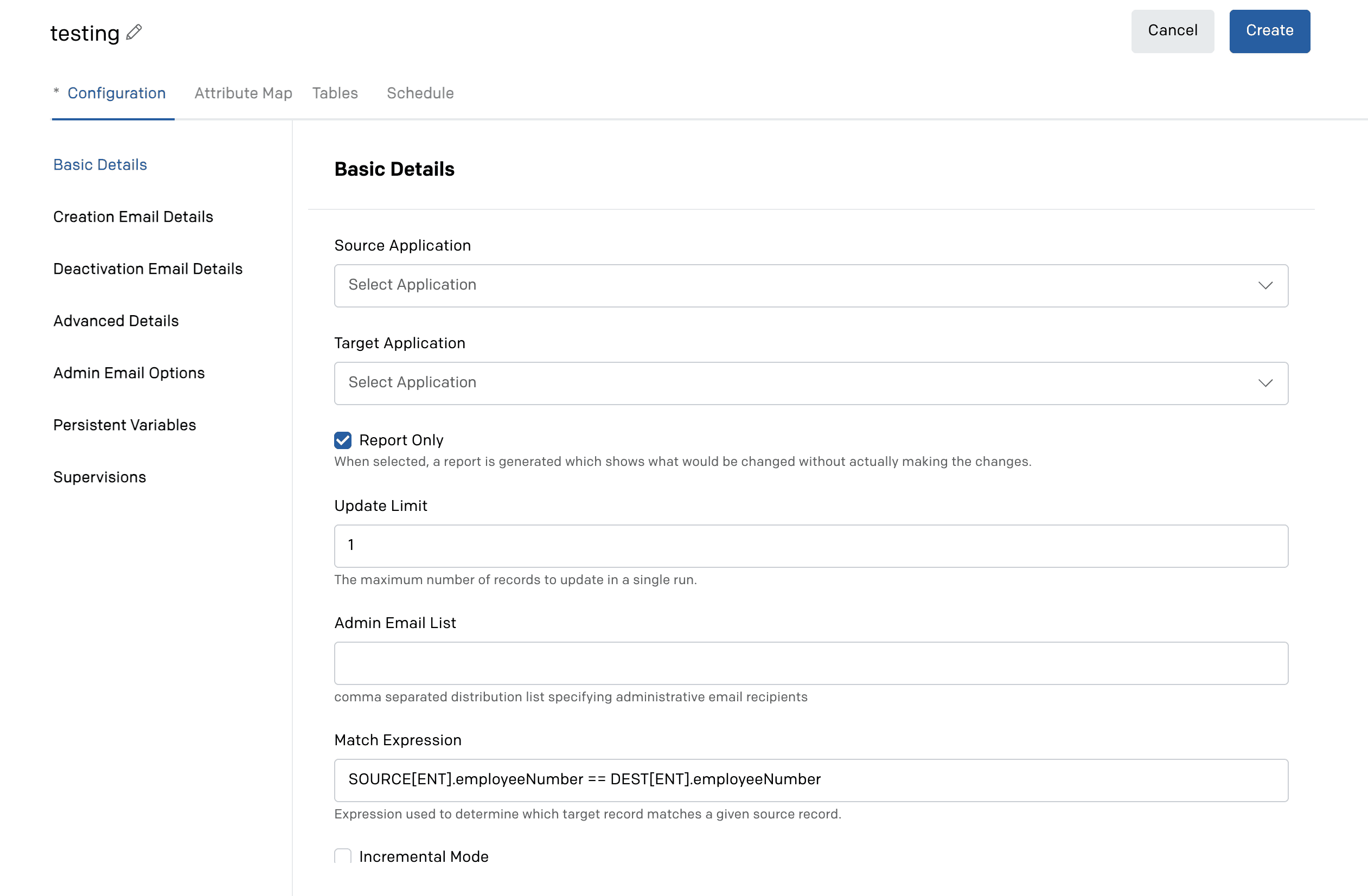


Okay
Okay
Okay
(Powerful but technical)
Okay
Strong
Okay
Okay
Okay


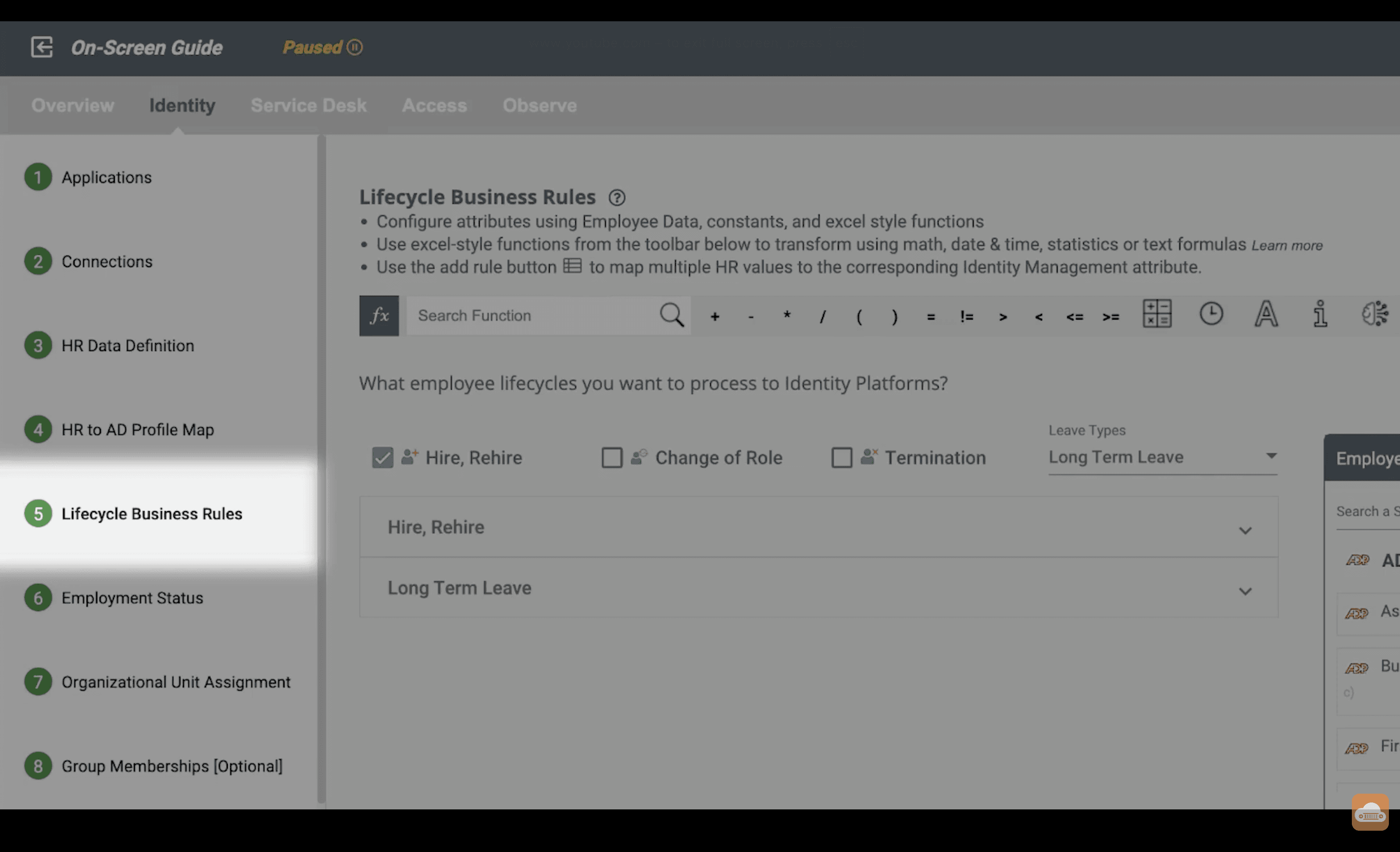
Strong
Strong
Strong
Strong
Okay
Strong
Okay
Strong
Strong


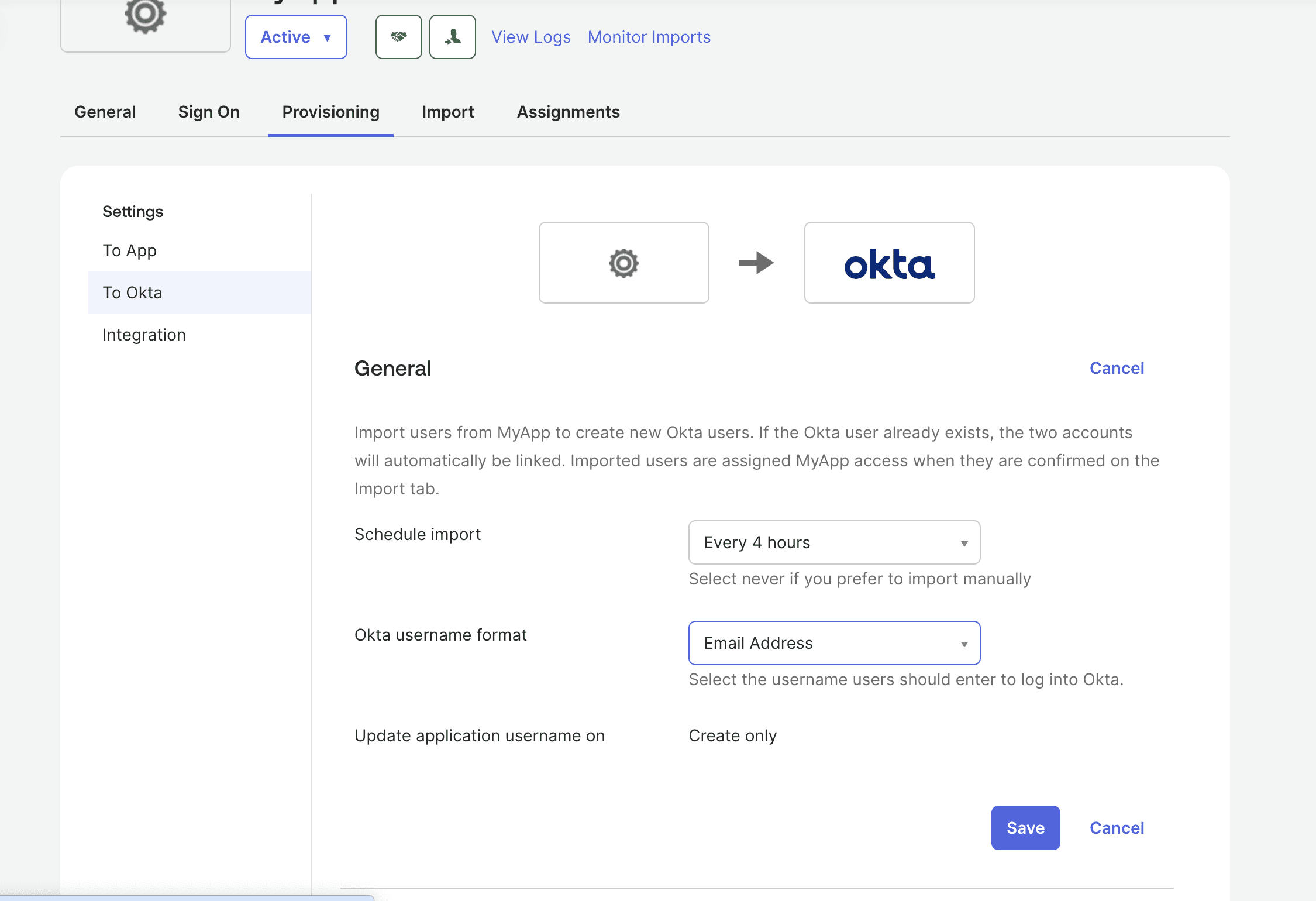


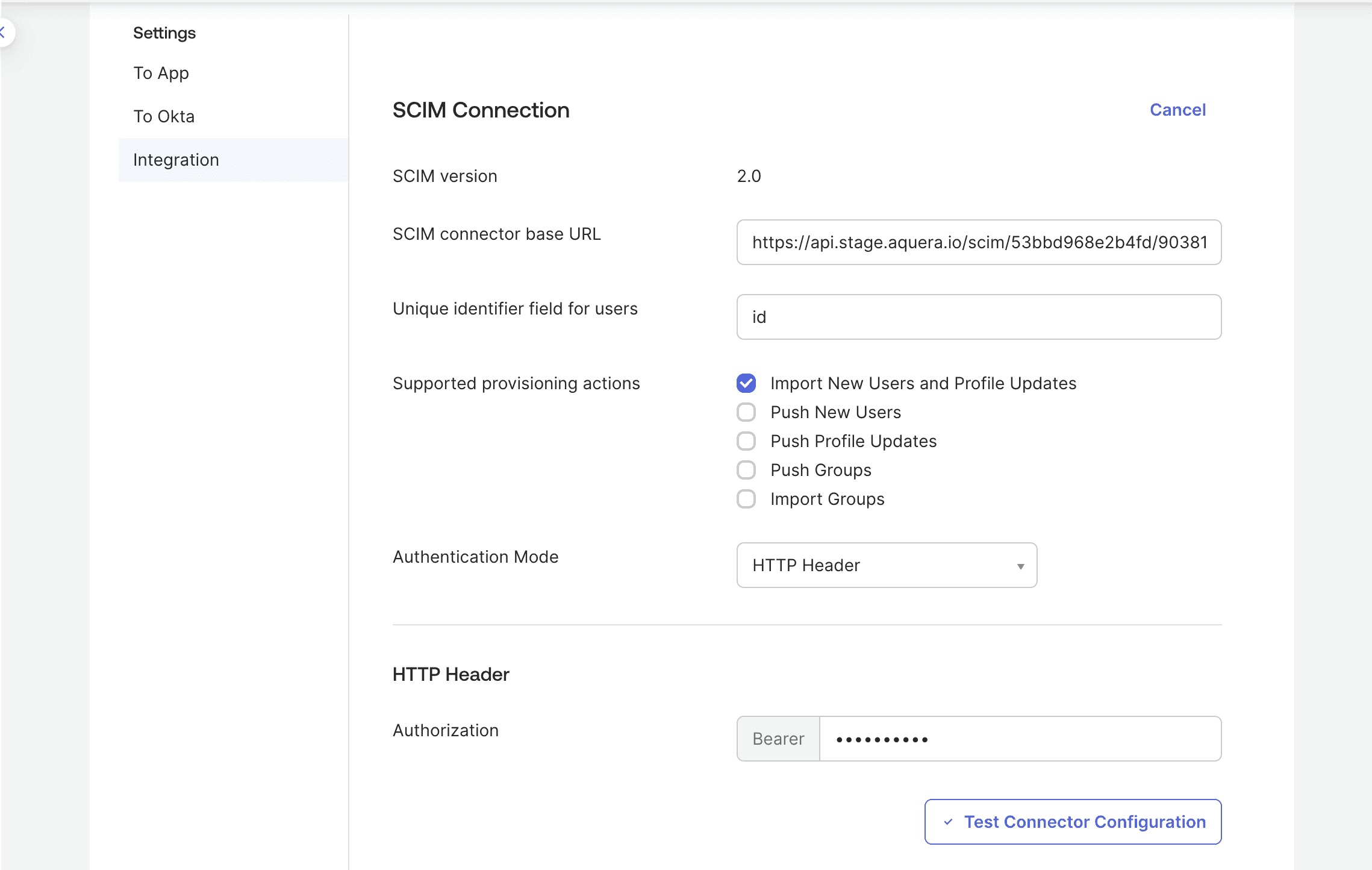
Okay
Okay
Strong
Okay
Strong
Strong
Strong
Okay
Strong

Okay
Okay
Okay
Okay
Okay
Strong
Strong
Okay
Okay


Strong
Strong
Strong
Strong
Okay
Strong
Okay
Strong
Strong


Weak
Okay
Okay
Okay
Okay
Strong
Okay
Okay
Okay




Weak
Weak
Weak
Okay
Okay
Strong
Okay
Weak
Weak
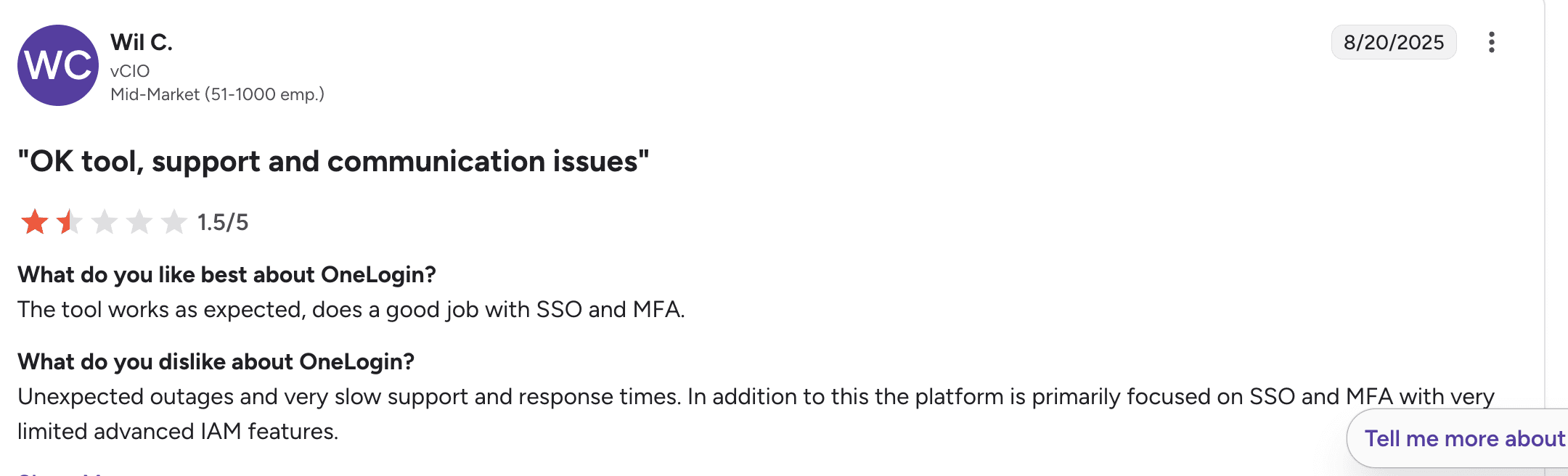
I also read verified G2 reviews, to hear how real users described their experience in their own words.
OKTA Online review



Onelogin Online review
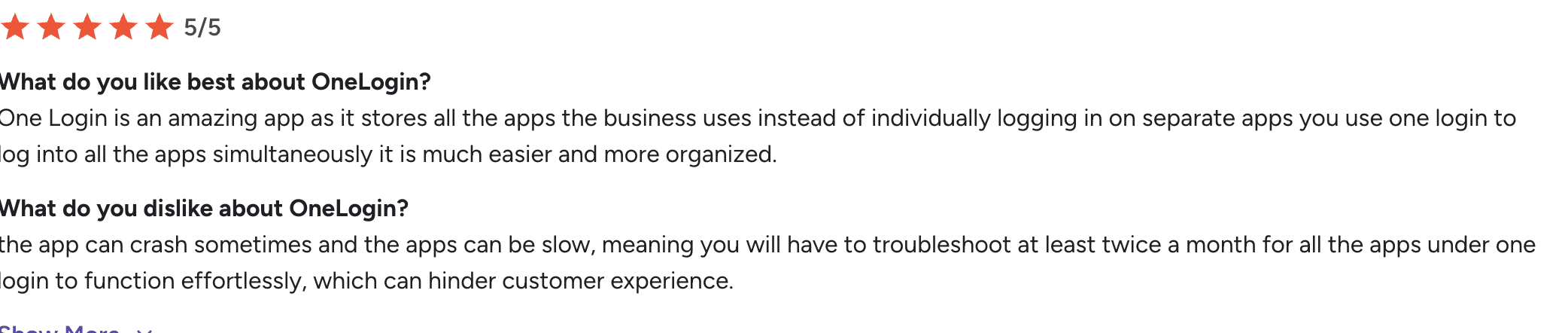


Hire2Retire Online review
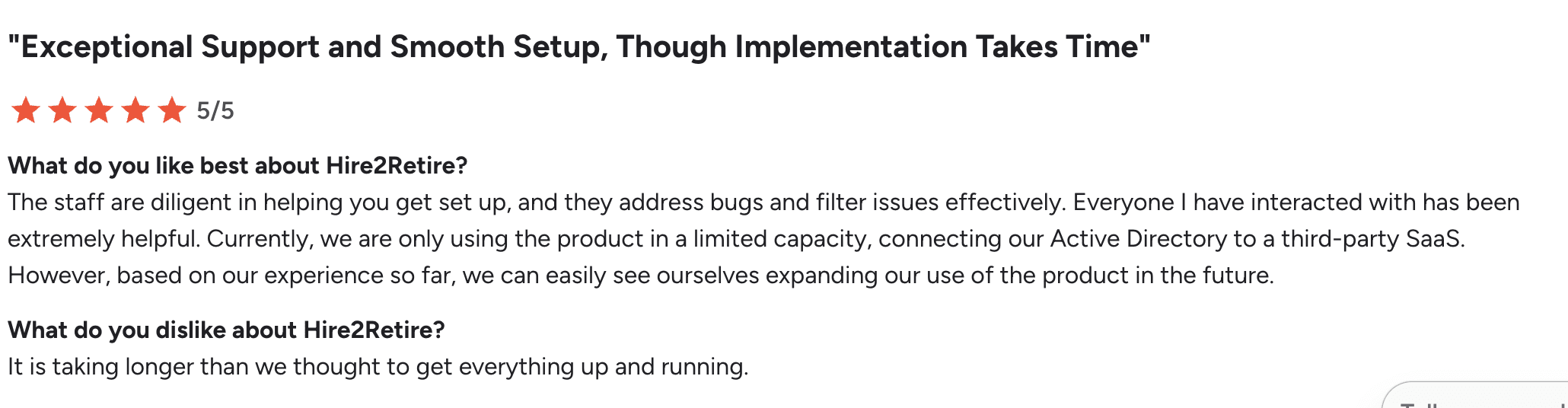


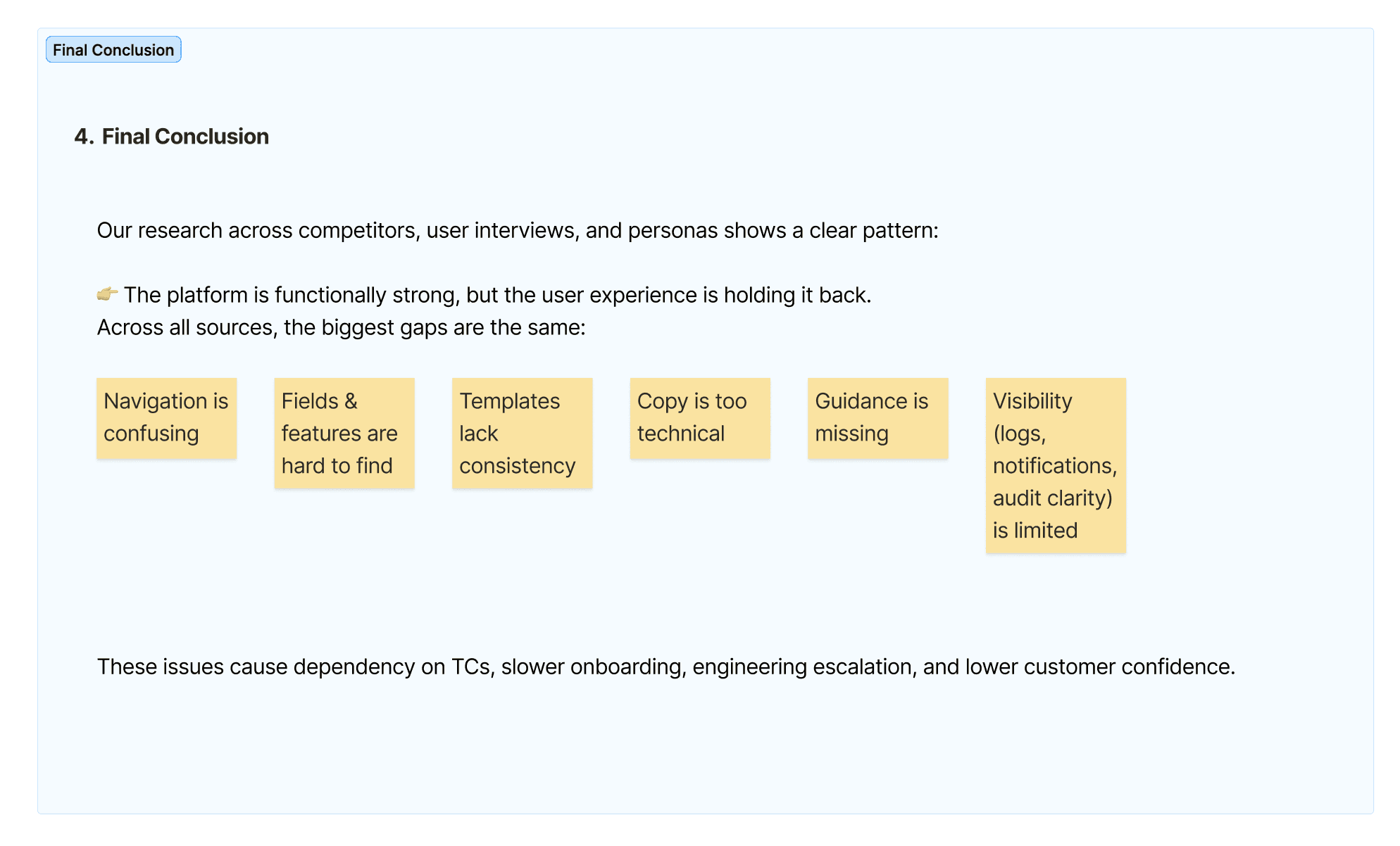
The pattern was clear: functionally solid, but the experience hadn't kept up. Fixing onboarding, navigation, and documentation was the difference between self-service and always needing a consultant in the room.
5 goals we set before designing
Standardise the experience across integrations
Preserve enterprise flexibility
Cut implementation cost
Enable self-service
Reduce TC dependency

Patterns started repeating
Instead of treating every issue separately, I clustered similar feedback together to identify the root causes behind the experience.
Navigation
Hard to know where to begin
Similar pages behave differently
Consistency
Same fields appear in different locations
Layout changes between workflows
Discoverability
Hard to know where to begin
Similar pages behave differently
Documentation
Same fields appear in different locations
Layout changes between workflows
Scalability
Every new workflow introduced more inconsistency
Key Research Insights
The problems weren't technical. They were structural.
Research Finding
Inconsistent navigation
Hidden features
Different layouts
Heavy documentation dependency
Support-first workflow
Impact
Users spent time relearning every workflow.
Important actions were difficult to discover.
Increased cognitive load and errors.
Slower onboarding and execution.
Same names and labels everywhere, so it feels familiar.
Iterations - Exploring before we committed
These are the not-selected screens from our early explorations. We tried different layouts using existing Nile components and a few new ones, but moved away from these directions as they felt too dense, scroll-heavy, or unclear.
Navigation / Steps
Explored different stepper and tab structures
Some versions made the journey feel too rigid or unclear
We moved toward a simpler structure with better context and orientation
Dashboard
Application
Users
Agents
Logs
Orchestration
Help & Support
JM
James Albert
Aquera Internals
ACME CORP Integrtaion
Preview
Execute
Save
01
Setup
02
Configure
03
ITSM
03
Apps
04
Execution & Schedule
Select Applications
Select your desired apps
Select Scenarios
Scenarios that you wish to be part of this lifecycle
Select your applications
The selected applications will enable the features which are needed for this lifecycle management
Select your HR application
Select
Select your Directory application
Select
Dashboard
Application
Users
Agents
Logs
Orchestration
Help & Support
JM
James Albert
Aquera Internals
ACME CORP Integrtaion
Preview
Execute
Save
Select Applications
Select your desired apps
Select Scenarios
Scenarios that you wish to be part of this lifecycle
The selected applications will enable the features which are needed for this lifecycle management
Select your HR application
Select
Select your Directory application
Select
Dashboard
Application
Users
Agents
Logs
Orchestration
Help & Support
JM
James Albert
Aquera Internals
ACME CORP Integrtaion
Preview
Execute
Save
Manage Employees
Manage Applicants
Teams & Role Groups
Assign Teams & Role
Account Location
Rules
Monitoring Rules
Update Back to HR
Account Actions
Track Account Status
Define Account Location Rules
Tables Lookup
Rule 1
#
1
2
3
4
5
6
7
8
9
10
11
12
13
14
15
16
17
18
19
20
Assign On
Choose Attribute
Group
Auto Fill
Overview
Too much scrolling and whitespace
Weak content hierarchy
Important information got lost in the layout

JA
Entra ID application provisioning
Entra ID application provisioning v3.2
Execute
Save changes
About this integration
This integration automates user provisioning from Microsoft Entra ID to multiple SCIM Applications.
Prerequisites: Go to the main Applications module in the left sidebar and setup connections to Entra ID and all the target SCIM Applications.
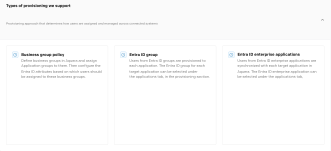
Type of provisioning :
Access bundle policy - Define access bundles in Aquera, link them to application groups, and decide which Entra ID attributes control user assignment.
Entra ID group - Users from Entra ID groups are provisioned to applications selected under the Applications tab.
Entra ID enterprise applications - Select Entra ID enterprise apps to sync users with your target applications from the Applications tab.
Features
Additional features to use
Enable exception management
Enable this to manage exceptions during processing, allowing you to identify and resolve errors.
Enable monitoring
Enable this to monitor provisioning activities.

JA
Entra ID Application Provisioning
Entra ID Application Provisioning v3.2
Execute
Save Changes
Execution Summary
This integration automates user provisioning from Microsoft Entra ID to Multiple SCIM Applications.
Scheduled to run hourly at 08:00 EST
Scheduled
Integration Runs in an Incremental Mode
Operational Settings
Email will be sent to Admin & Employees
Notifications
Run History
History of integration runs and their outcomes.
Date
03/13/26, 11:56:37
03/13/26, 11:56:37
03/13/26, 11:56:37
03/13/26, 11:56:37
Execution Time
00:00:00.324
00:00:00.324
00:00:00.324
00:00:00.324
Response Data
Success
Success
Success
Success
About Integration
This integration automates user provisioning from Microsoft Entra ID to Multiple SCIM Applications.


View All 20+
Prerequisites
Before setting up this Integration, ensure that you go to the main Applications module in the left sidebar and setup connections to Entra ID and all the target SCIM Applications that you want the Entra ID users to be provisioned into.
Types of Provisioning we Support
Managed by Business Group Policy
Define Business Groups in Aquera and assign Application Groups to them.
Managed by EntraID Group
Users from Entra ID groups are provisioned to applications.
Managed by EntraID Enterprise Applications
Users from Entra ID Enterprise Applications are synchronised to applications in Aquera.
JA
Entra ID application provisioning
Entra ID application provisioning v3.2
Execute
Save changes
About this integration
This integration automates user provisioning from Microsoft Entra ID to multiple SCIM Applications.
Prerequisites: Before setting up this Integration, ensure that you go to the main Applications module in the left sidebar and setup connections to Entra ID and all the target SCIM Applications that you want the Entra ID users to be provisioned into.
Features
Additional features to use
Enable exception management
Enable this to manage exceptions during processing, allowing you to identify and resolve errors.
Enable monitoring
Enable this to monitor provisioning activities.
Execution summary
Summary of key execution details, including run schedule, processing mode, and notification configuration
Schedule
Scheduled to run hourly at 08:00 EST
Operational summary
Integration runs in an Incremental mode.
Notifications
Email will be sent to Admin & Employees
Trade offs
The real question became: what needs to be the same everywhere, and what's allowed to stay different? That question didn't stay just mine, stakeholders had strong opinions too, and not everyone agreed at first.
Consistent vs. custom.
Stakeholders were hesitant to standardize configuration sequence, worried it would limit flexibility. We agreed to standardize structure, navigation, and terminology, while keeping application-specific features flexible within it.
Now vs. later
Some pushed to just fix what existed. We agreed instead to write developer guidelines, so every future template would follow the same structure automatically, not just the current one.
Most vs. edge cases
Not every team wanted to deprioritize edge cases. We aligned on designing for what worked for most customers, and handling edge cases separately, instead of letting them shape the standard.
Foundation
Phase 1
Improve discoverability and create a consistent product experience.
Validation
Technical Consultants
Internal Reviews
AI Evaluation
Early Customer Feedback
Impact
+30% Discoverability
−35% Navigation effort
1 unified experience across 1,000+ workflows
Experience
Phase 2
Simplify workflows with clearer language and guided interactions.
Validation
Technical Consultants
Internal Reviews
AI Evaluation
Early Customer Feedback
Impact
+25% task completion confidence.
−40% terminology-related confusion
Consistent UX writing guidelines approved for rollout
Currently rolling out across product workflows.
Scale
Phase 3
Create standards that keep every future workflow consistent.
Validation
Design System Team
Engineering
Technical Consultants Implementation QA
Impact
1 reusable framework for future workflows
−30% design & development effort
Faster implementation with Nile Design System adoption
Currently rolling out across product workflows.
Three fixes, one foundation
The research pointed to the same conclusion from every angle: the problem wasn't features, it was inconsistency. So the solution focused on three things: how people navigate the product, how the product talks to them, and how it stays consistent long after this project ends.
Phase 1 : Navigation & Information Architecture
Every integration now follows one path, laid out the way people actually set things up, from understanding to shipping. I added an overview page to each integration for quick links and key details at a glance. New components, like single-select radio buttons, are now part of the standard set every future integration builds on.

Phase 2 : UX Writing Standards
I moved the product from American Title Case to sentence case, simpler and easier to scan. I standardized terminology platform-wide and documented it in a writing guidelines presentation, now used as a reference across the team and adopted in other products too.


Phase 3 : Developer Guidelines
Structural rules for how developers build new templates: top-level tabs capped at 6–7, side tabs for second-level navigation, fields grouped using progressive disclosure. Every new template now stays consistent by default, without needing another redesign later.
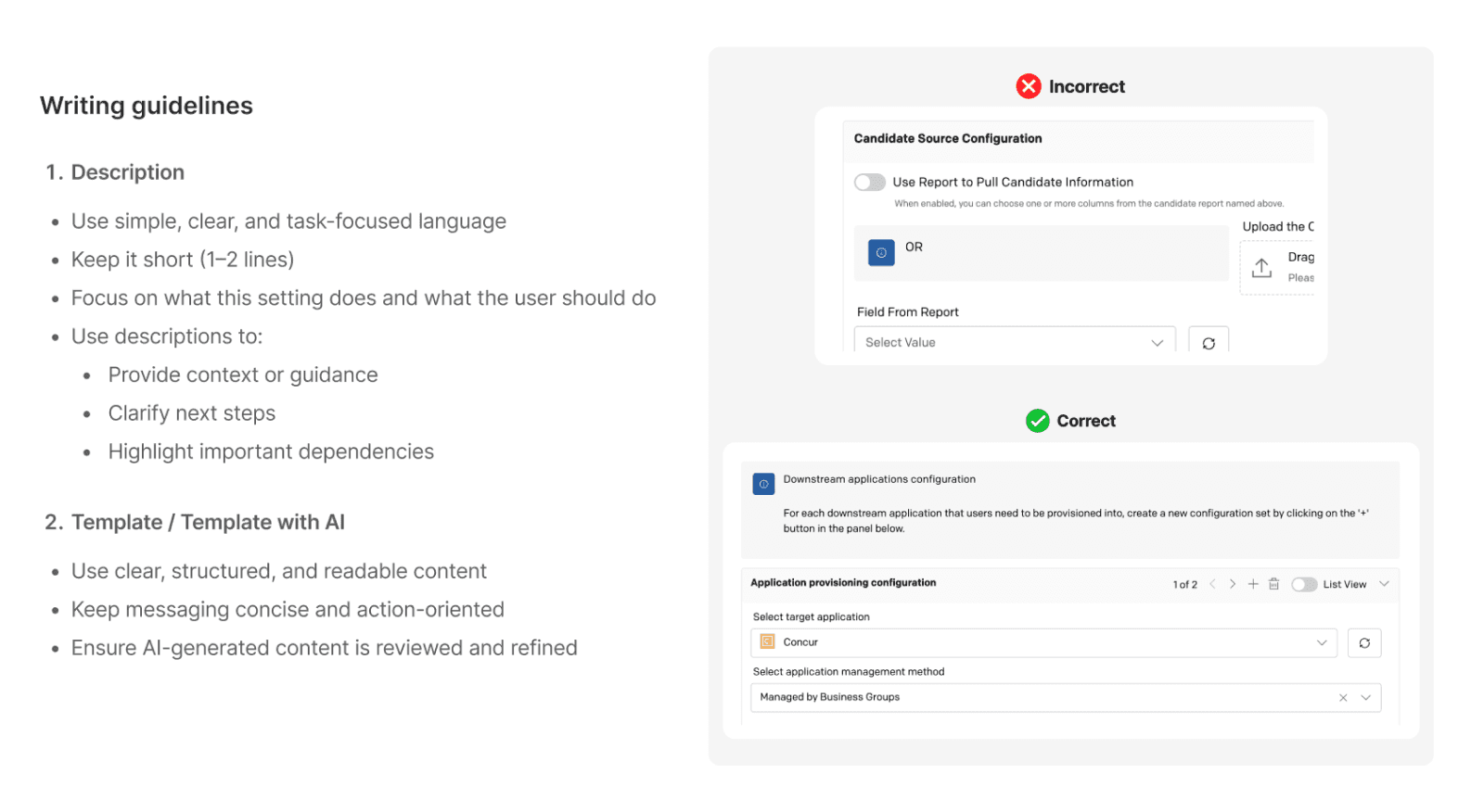

From scattered templates to one foundation
Full impact is still being measured as the framework rolls out to existing customers. Early signal is strong: TCs building the first framework-based integration reported configuration time at roughly half of a comparable legacy template.
Developers
Clear rules for where new features belong
A foundation the next 1,000+ templates can build on
Less time reverse-engineering old templates
Business
A real path to self-service
Less TC time spent on basic setup
Growth without scaling services at the same rate
Product
One consistent structure, replacing 100+ inconsistent templates
Same navigation everywhere
Shared writing standards
The goal wasn't to make integrations simpler. It was to organize the complexity into patterns that repeat, so it's easier to use without losing flexibility.
Reflections & Learnings 🎯
I thought I was redesigning templates. I was actually designing the system future templates would inherit from."
Good products don't hide complexity, they organize it into patterns that repeat.
You can't fix what you don't understand first. Every messy template was someone's real answer to a real problem.
Consistency and customization aren't opposites. They just need clear boundaries.
See Next




Probably tweaking this footer again.
That's the work. Here's the awkward reaching out part.





🧿 2026 Parul Verma. Powered by Curiosity & Never giving up